 Super Intelligent Sender
From first email to booked meeting, without the spreadsheet
Your reps send from their own mailboxes. Super Intelligent Sender handles the timing, the follow-ups and the reply sorting.
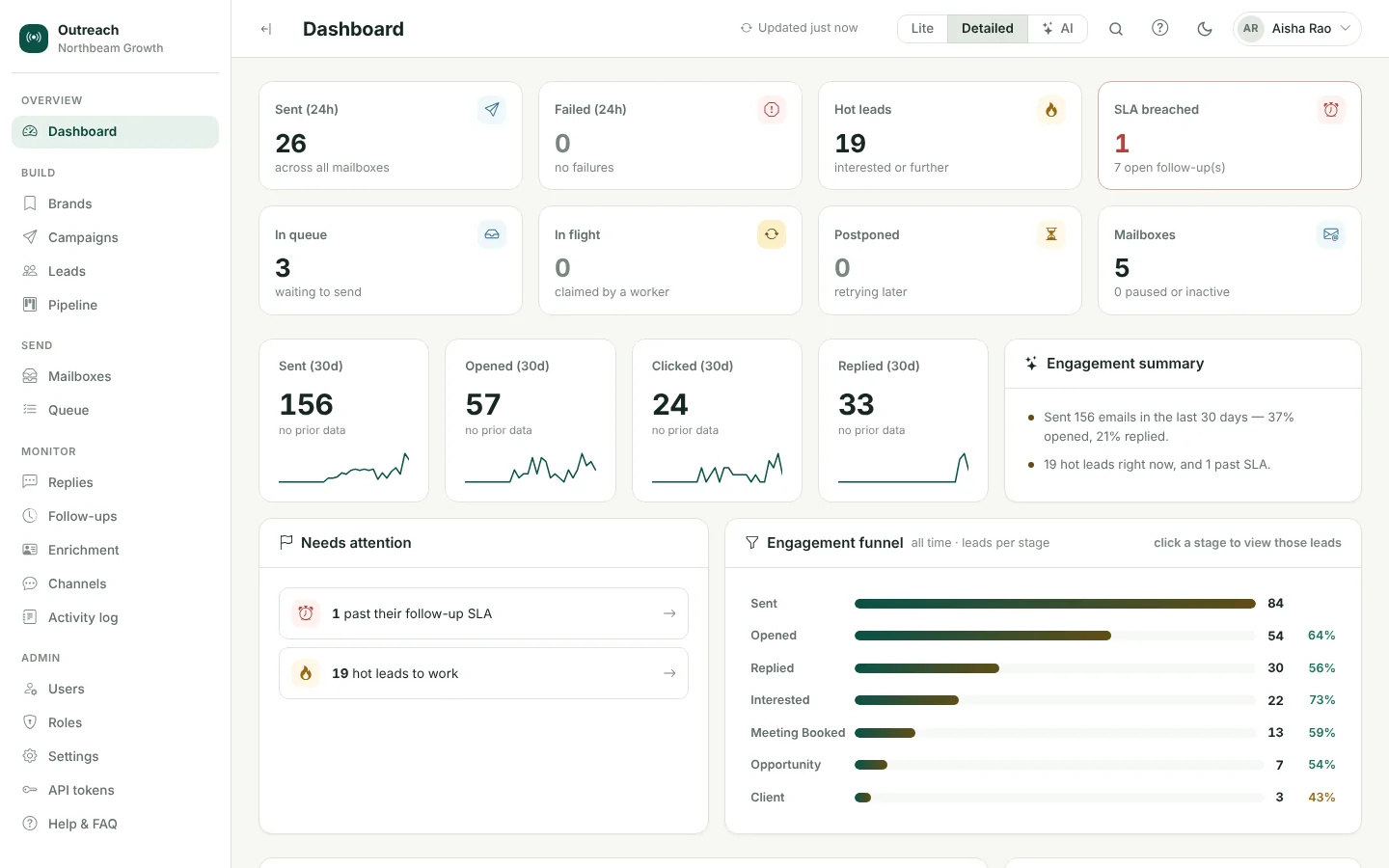
How do sales teams use Super Intelligent Sender?
Each rep connects their Google Workspace mailbox. Managers build sequences with merge tags and A/B variants, Super Intelligent Sender sends them inside each mailbox's limits and each prospect's business hours, and replies are labelled by AI. Interested prospects move through Meeting Booked and Opportunity to Client on the pipeline board.
Reps' own mailboxes
Emails and replies stay in each rep's Google Workspace mailbox.
Sequences and A/B tests
Openers and follow-ups on the same thread, with variants to compare.
Replies sorted for you
Positive replies rise to the top with a follow-up deadline.
A real pipeline
Meeting Booked, Opportunity and Client stages with full history.
Frequently asked questions
How do sales teams use Super Intelligent Sender?
Each rep connects their Google Workspace mailbox. Managers build sequences with merge tags and A/B variants, Super Intelligent Sender sends them inside each mailbox's limits and each prospect's business hours, and replies are labelled by AI. Interested prospects move through Meeting Booked and Opportunity to Client on the pipeline board.
Related features
AI reply inbox
Replies arrive in one inbox, already labelled. Answer the interested ones without leaving Super Intelligent Sender.
Learn more →Lead pipeline
A pipeline board for the leads your emails warm up, with the full history one click away.
Learn more →Sequences & A/B tests
Write the opener and follow-ups once. Super Intelligent Sender personalises each one and keeps follow-ups on the same thread.
Learn more →See Super Intelligent Sender with your own sending setup
Book a short demo. We will connect a mailbox, check your timing and walk through replies and the pipeline with you.
- 20-minute call
- On your own mailboxes
- Reply within one business day